Setup Active Directory Authentication
The steps must be performed in this order, otherwise you’ll get a headache trying to work out why you cannot see any Groups listed.
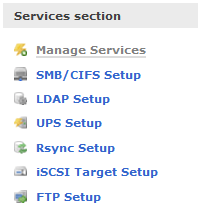
Go to Services | Enable SMB/CIFS server.

Click on SMB/CIFS Setup.
- Change the NetBIOS name to just the hostname of the server (do not include the domain).

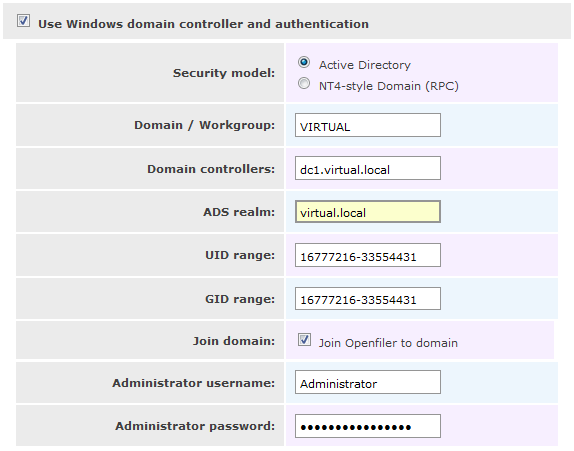
Navigate to Accounts | Expert View. Configure for your environment, note the CAPITALIZATION of some of the fields.
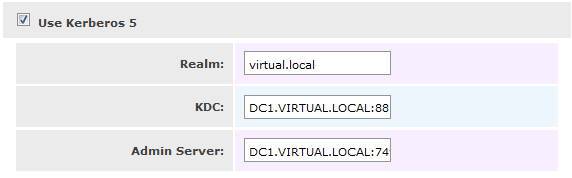
Click on Use Kerberos 5 and enter your domain details, note the CAPITALIZATION of some of the fields.
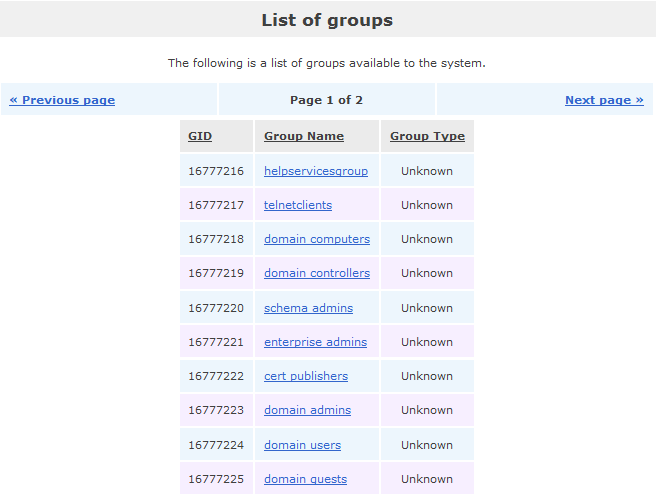
Now click on Accounts | Group List and if done successfully, you should see your Domain groups.
 VMwire