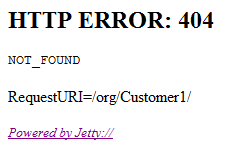
VMware vCloud Director (vCD) automatically creates a URL for each organisation that is created in vCD. There is a slight bug which does not create the URL properly and will cause the URL that is displayed under Customer | Administration | Settings | General to be incorrect.
For example, if you create an organisation called Customer1, the default URL that is created will be:
This WILL work but you will have to do this for every new customer and also remember to publish the correct URL.
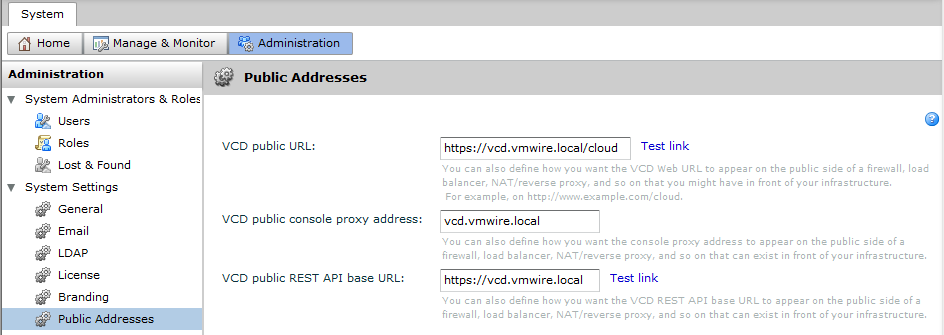
However, there is a better way, being much more intelligent, amend the system VCD public URL under System | Administration | System Settings | Public Addresses
vCD Public URL
This will automatically add cloud into all organisation VCD public URLs.
Most administrative changes to vShield Manager can be done using the command line interface (CLI) by initiating a console session to the vShield Manager virtual machine. You can log in to the CLI by using the default user name admin and password default.
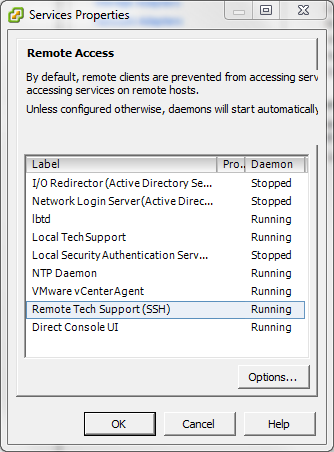
You can also access the CLI by enabling SSH.
To enable SSH:
Log in to the CLI by using the default user name and password
Enter configuration mode by typing
manager# en
manager# configure terminal
manager(config)# ssh start
manager(config)# cli ssh allow
To change the hostname of vShield Manager
vShield Manager uses manager as the default hostname but there is no easy way to change the hostname using the web interface or the vSphere plugin. You can only change vShield Manager’s hostname using the CLI.
Log in to the CLI by using the default user name and password
Enter configuration mode by typing
manager# en
manager# configure terminal
manager# hostname newhostname
vShield will then restart its web services and accept the changes
 VMwire